Join codes and QR posters
Updated
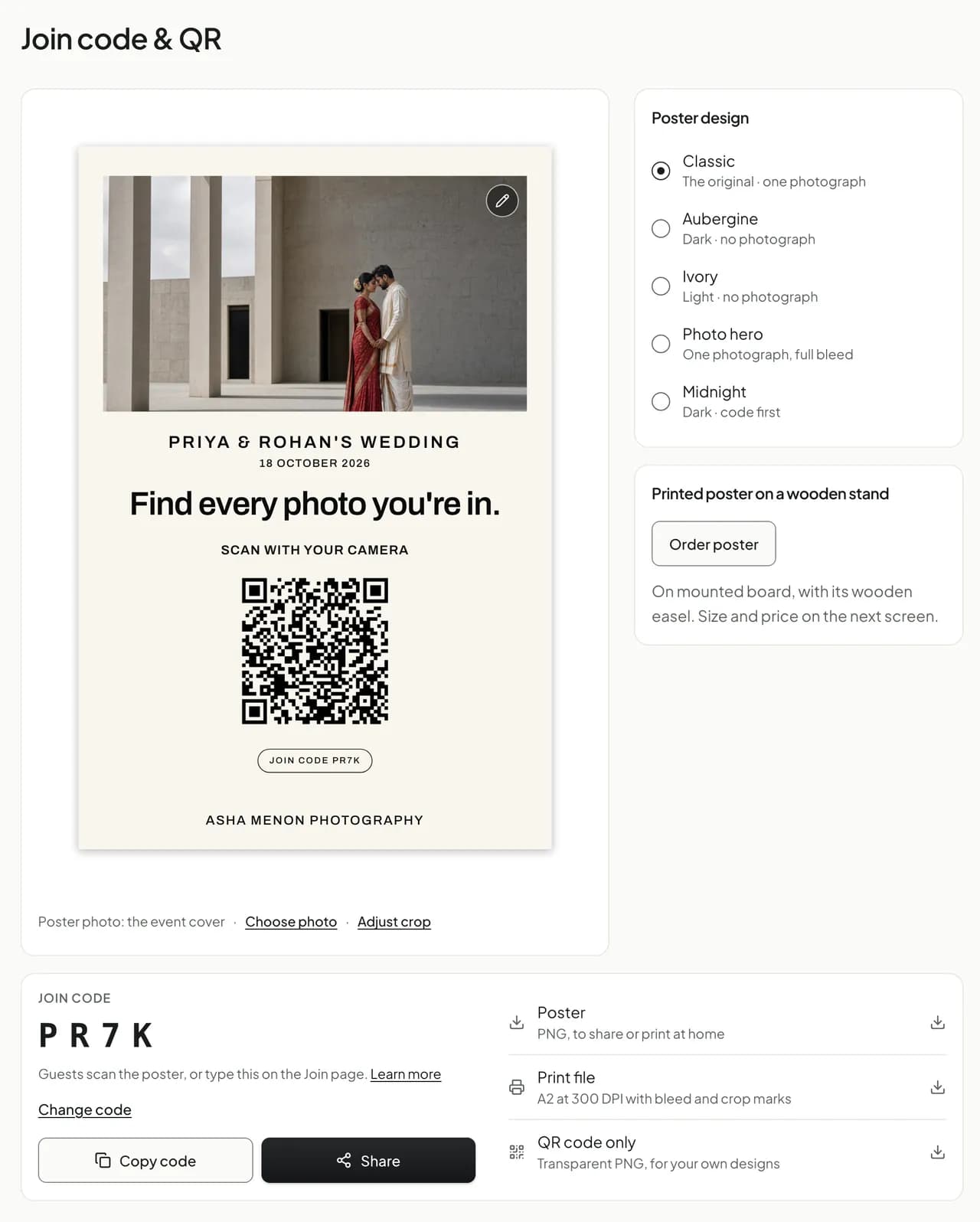
Every event has a short join code. Guests type it, or scan your QR, to open the event.
- Step 1: Open your event and go to Settings › Join code & QR.
- Step 2: Pick a Poster design beside the poster. In the Join code card below, download the Poster, the Print file or the QR code only.
- Step 3: To get the poster printed on a wooden stand, tap Order poster. It shows the design you picked.
- Step 4: For one QR for all your events, open My QR.
TipNew join codes are 4 characters. Older, longer codes keep working.
What your guests see
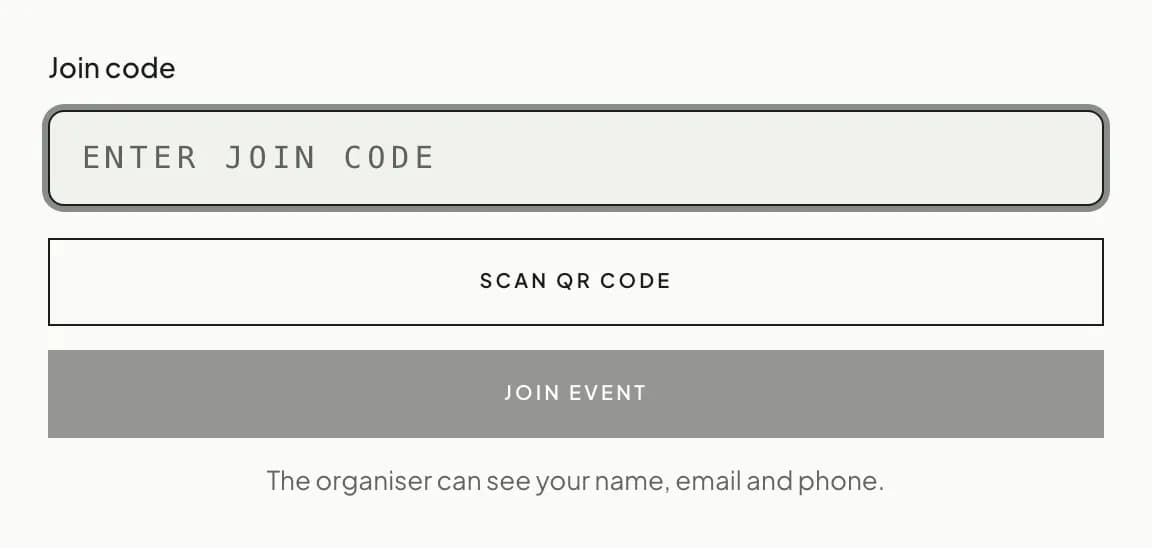
Guests scan the QR or open the link. On a private event, they then type the join code and tap Open event. A guest who only has the code types it at instantpixapp.com/join, in Enter join code.
Related
Still stuck? Contact us