Run an event with your team
Updated
Give volunteers duties, chat with everyone running the event, and send announcements.
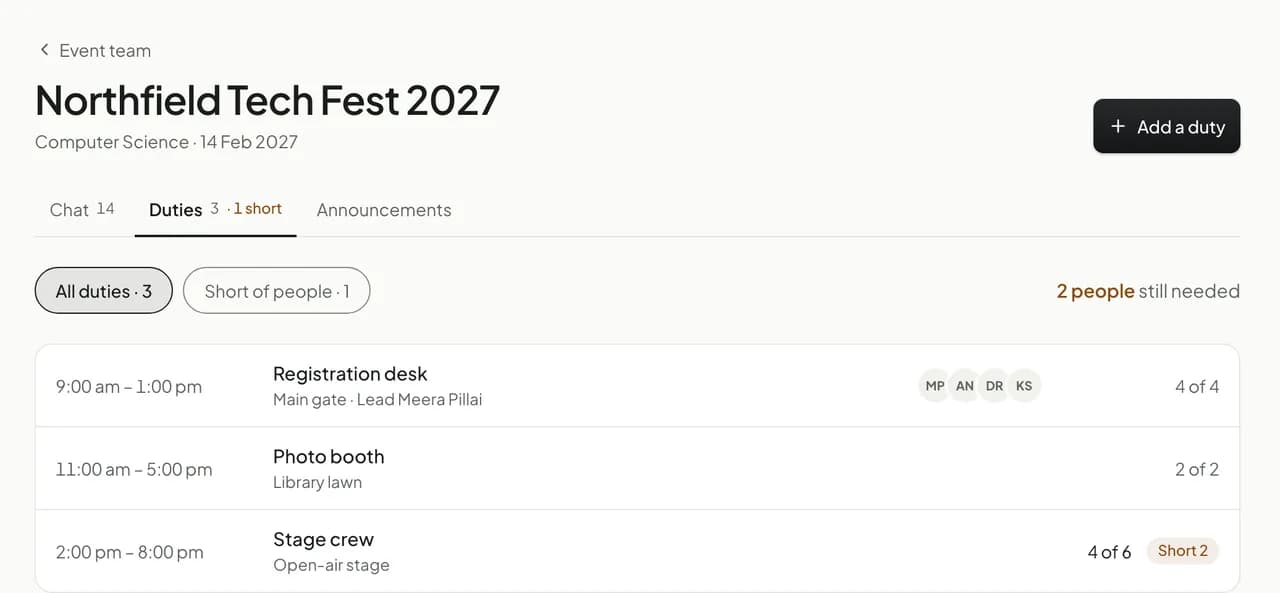
- Step 1: Open Event team and pick the event. It has three tabs: Chat, Duties and Announcements.
- Step 2: On Duties, tap Add a duty. Fill in the Duty, Place, Time and People needed, and tap Add duty.
- Step 3: Open the duty and tap Add people. Tick who should do it and add them. Each shows Not answered yet until they accept.
- Step 4: On Chat, tap Add people or Add all volunteers. Then type your message and tap Send.
- Step 5: On Announcements, tap New announcement, choose who to send it to and how, and send it.
TipYou can't unsend an announcement, but you can post a correction.
You can add people already on the event: gate volunteers, people on a duty, badge holders, unit members and crew. Volunteers see their duty on their phone and tap Accept duty or Can't make it. The chat shows names and photos only, never phone numbers, and closes 7 days after the event's last day.
Related
Still stuck? Contact us