Choose your fest's refund rule
Updated
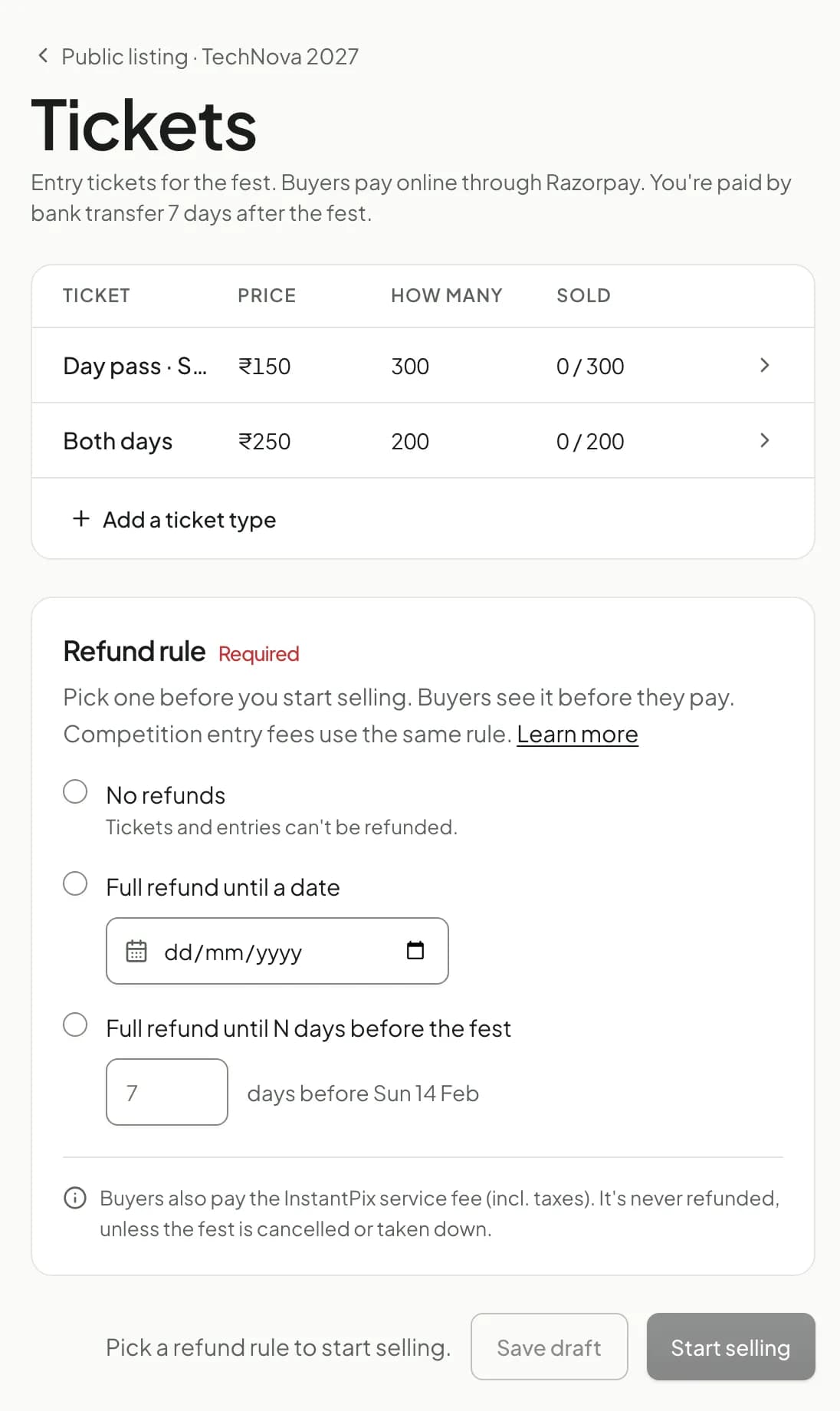
Before you sell tickets or entries, choose the refund rule that buyers see before they pay.
- Step 1: Open Public listing, choose the fest, and open Tickets.
- Step 2: Under Refund rule, choose No refunds, Full refund until a date (and pick the last day), or Full refund until N days before the fest (from 1 to 60 days).
- Step 3: Tap Save draft, then Start selling. You can't sell until a rule is chosen.
- Step 4: Buyers read the rule in the Refunds box above Pay, and on their receipt.
TipThe rule locks at the first sale. After that, the page says The refund rule can't change after tickets are sold.
Competition entry fees use the same rule. Buyers also pay the InstantPix service fee (incl. taxes), which isn't refunded unless the fest is cancelled or taken down. Within the refund window, a buyer cancels from their tickets and the price goes back to their original payment method in 5–10 working days. After the window, they can still cancel but get nothing back. Only an org admin can sell tickets or set the rule.
Related
Still stuck? Contact us