Show first-time tips in your gallery (Gallery Assist)
Updated
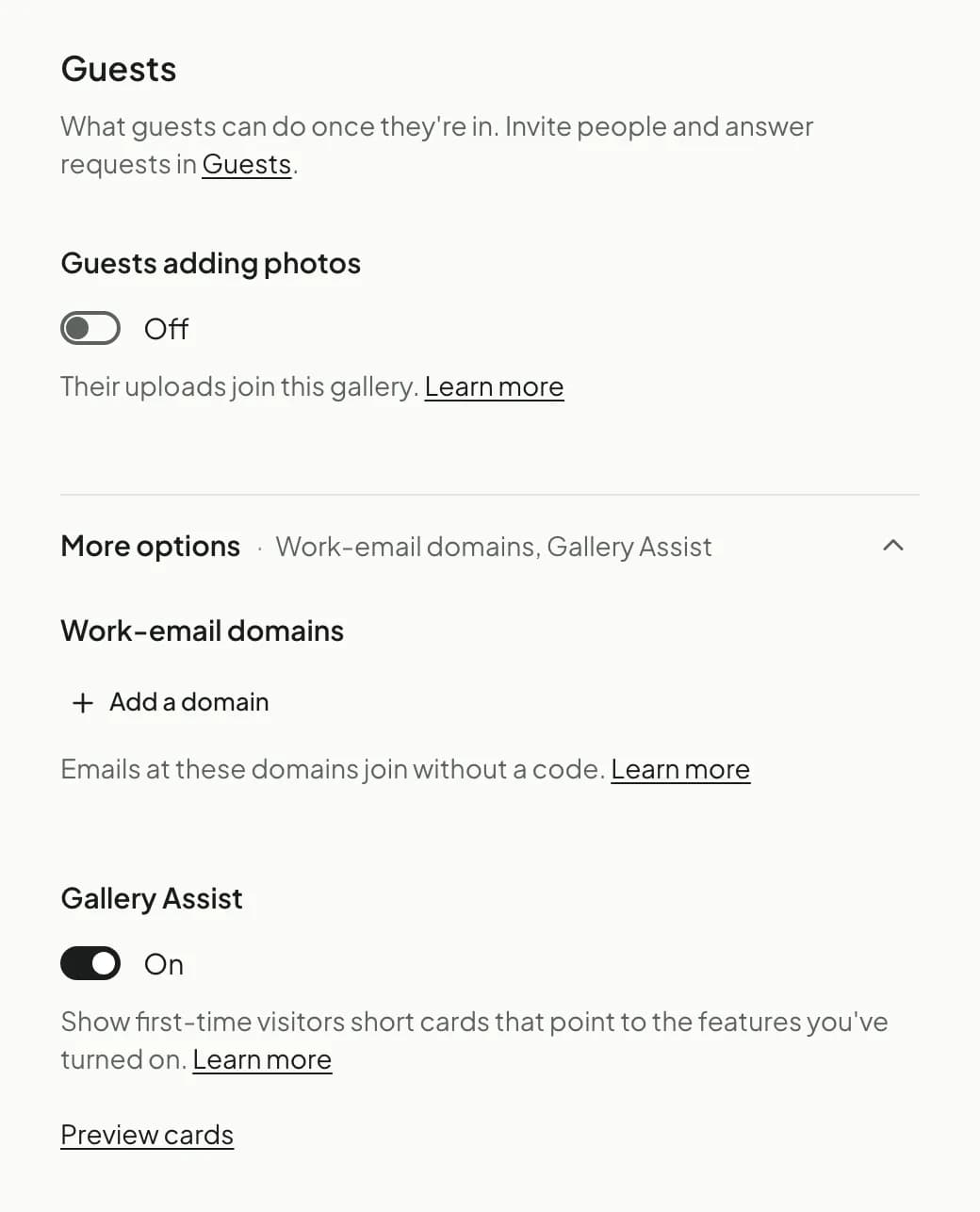
Gallery Assist shows first-time visitors a few short cards that point at the features you turned on.
- Step 1: Open your event and go to Settings.
- Step 2: Choose Access, then open More options.
- Step 3: Turn on Gallery Assist. Tap Preview cards to see them the way a guest will.
TipCards only show for features that are on. If downloads are off, guests won't see a download card.
What your guests see
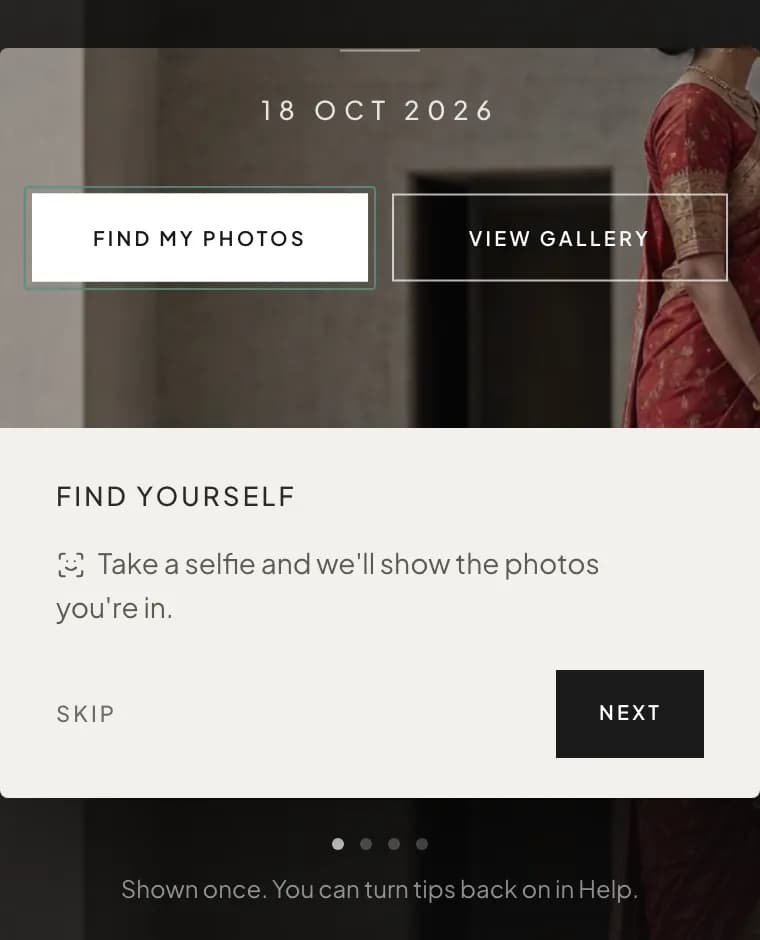
On their first visit, a card points at Find my photos and says what it does. Guests tap Next or Skip. Each card shows once per visitor.
Related
Still stuck? Contact us