Let your client pick album photos
Updated
Name the people who can pick album photos, send them the gallery link, and see what they picked.
- Step 1: Open your event and choose the Album selection tab.
- Step 2: Type your client's email or phone under Who can select and tap Add.
- Step 3: In Send to your client, tap Copy link & password (Copy link on a private event) or WhatsApp. On a public event, set a Client password first with Create a client password.
- Step 4: Your client taps the star on each photo they want.
- Step 5: See their choices under What they picked.
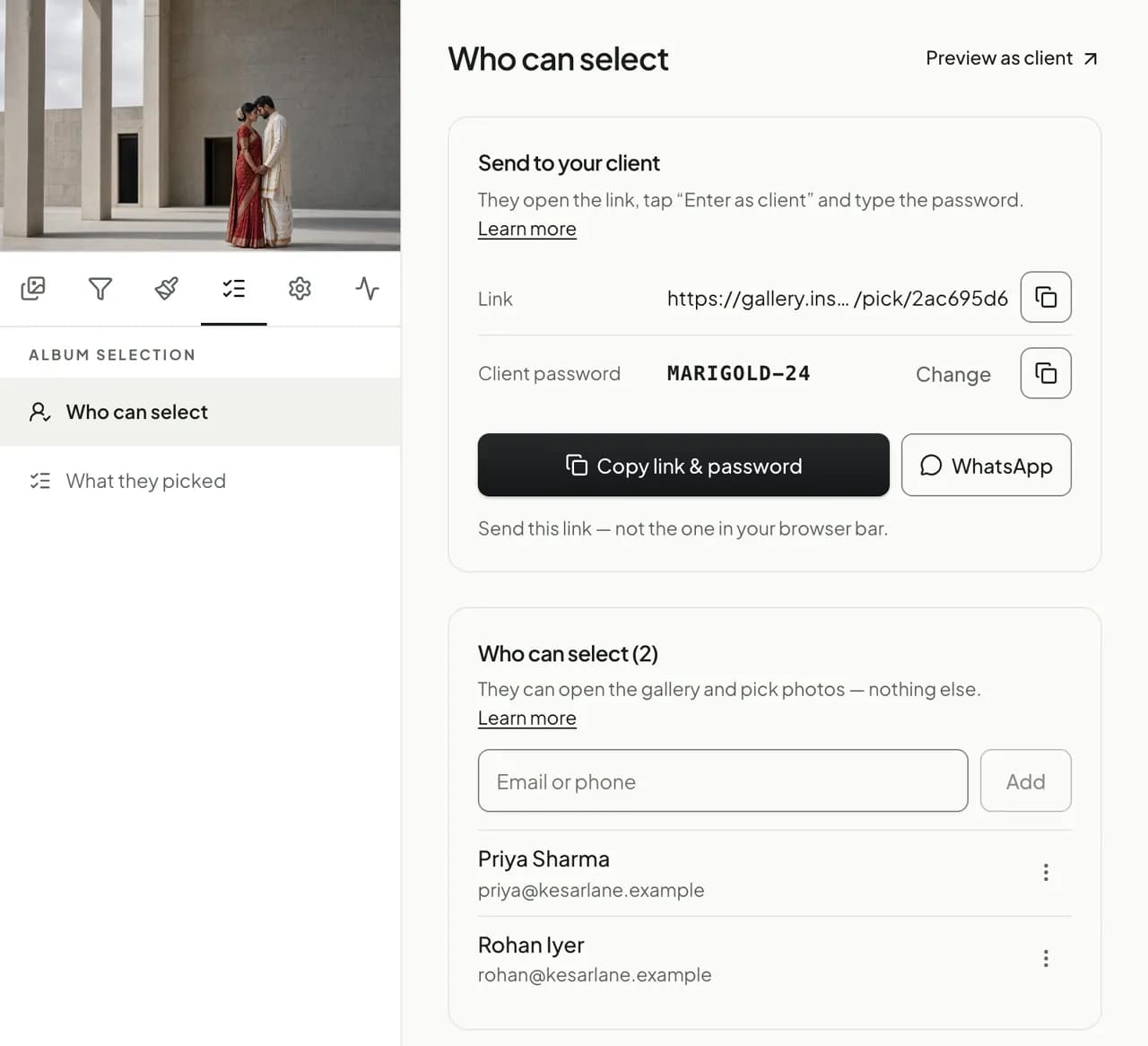
TipSomeone on Who can select can open the gallery and pick photos, nothing else. If the gallery has a Gallery passcode, they still need it.
On a public event, clients open the link, tap Enter as client and type the Client password. On a private event, there's no Client password: they sign in with the phone or email you added. Only the event's owner can add or remove people and read the picks. Removing someone keeps what they already sent. On a private gallery, they also lose access unless they joined another way.
Related
Still stuck? Contact us