Event details: name, date and capacity
Updated
Change the event's name, date and other details on one page.
- Step 1: Open your event and go to Settings › Event details.
- Step 2: Edit Event name, Date and Category.
- Step 3: Open More options for Description, Location (with Pick on map) and Maximum capacity. Capacity limits who can join; a public gallery stays open to anyone with its link. Leave it blank for no limit.
- Step 4: Tap Save changes. Discard drops your edits.
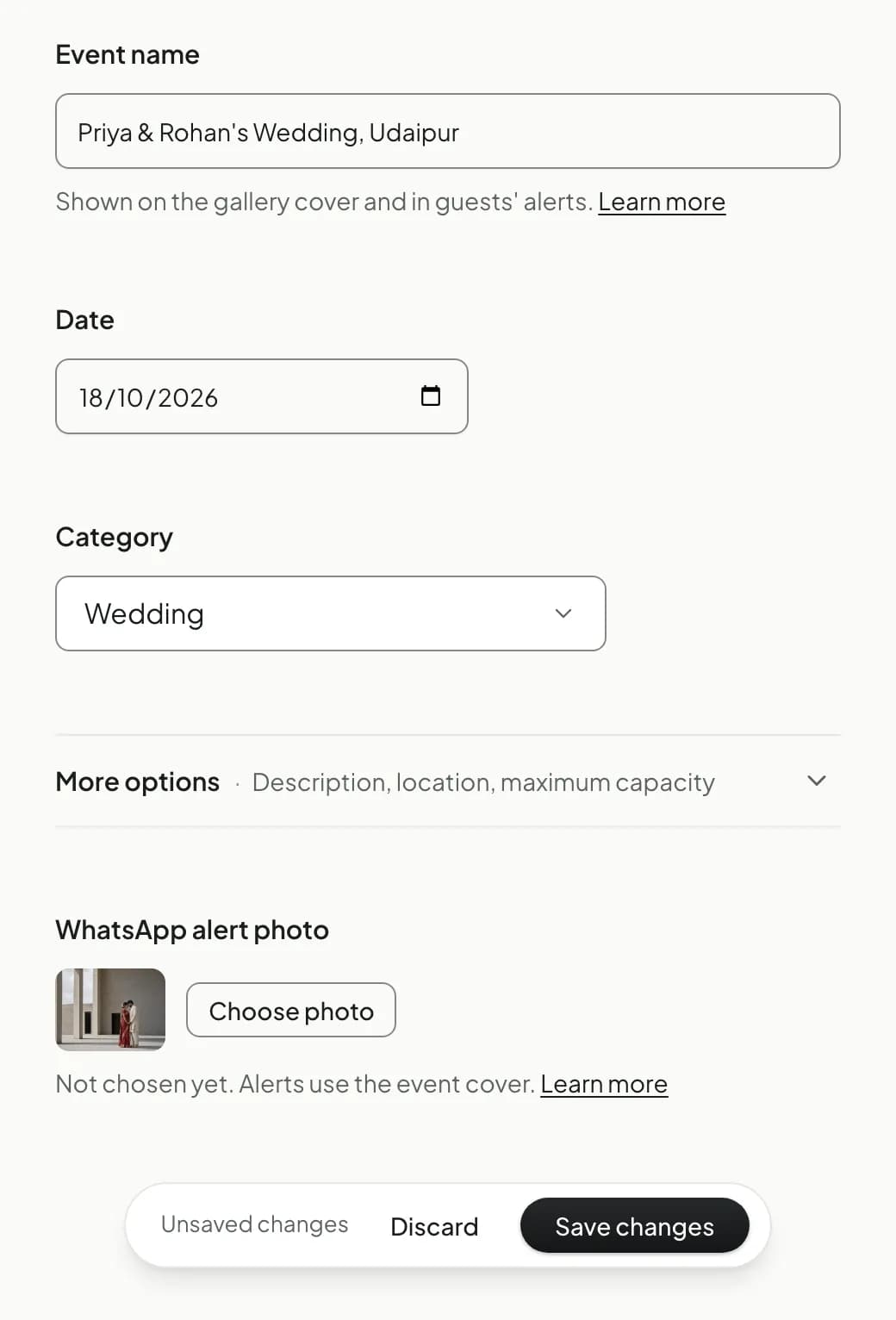
TipPublishing and the WhatsApp alert photo on this page save on their own, without Save changes.
Maximum capacity is enforced. Once it's reached, new guests can't join and you can't approve more requests. The box shows how many seats are left. You, your editors and your team don't count toward it. A registration form keeps its own limit.
What your guests see
The event name is on the gallery cover and in their alerts. The date is on the gallery cover. The description is on the event page. Guests don't see the maximum capacity. Once it's reached, a new guest is told This event is full.

Related
Still stuck? Contact us