Clear out repeats and weak frames (AI Cull)
Updated
AI Cull marks repeat shots and weak frames for you to review. Nothing moves until you approve it.
- Step 1: Open the event and go to AI Cull.
- Step 2: Under Which photos, choose All photos in this event or some collections. Under How strict, pick Gentle, Normal or Strict. Then tap Find photos to remove.
- Step 3: Review what it marked. Tap a photo to switch it between Keep and Trash. On a burst of similar shots, tap Keep best only or Keep all.
- Step 4: Tap the button to move the marked photos, then Move to Trash to confirm.
- Step 5: Changed your mind? Restore all puts them back, here or in Trash.
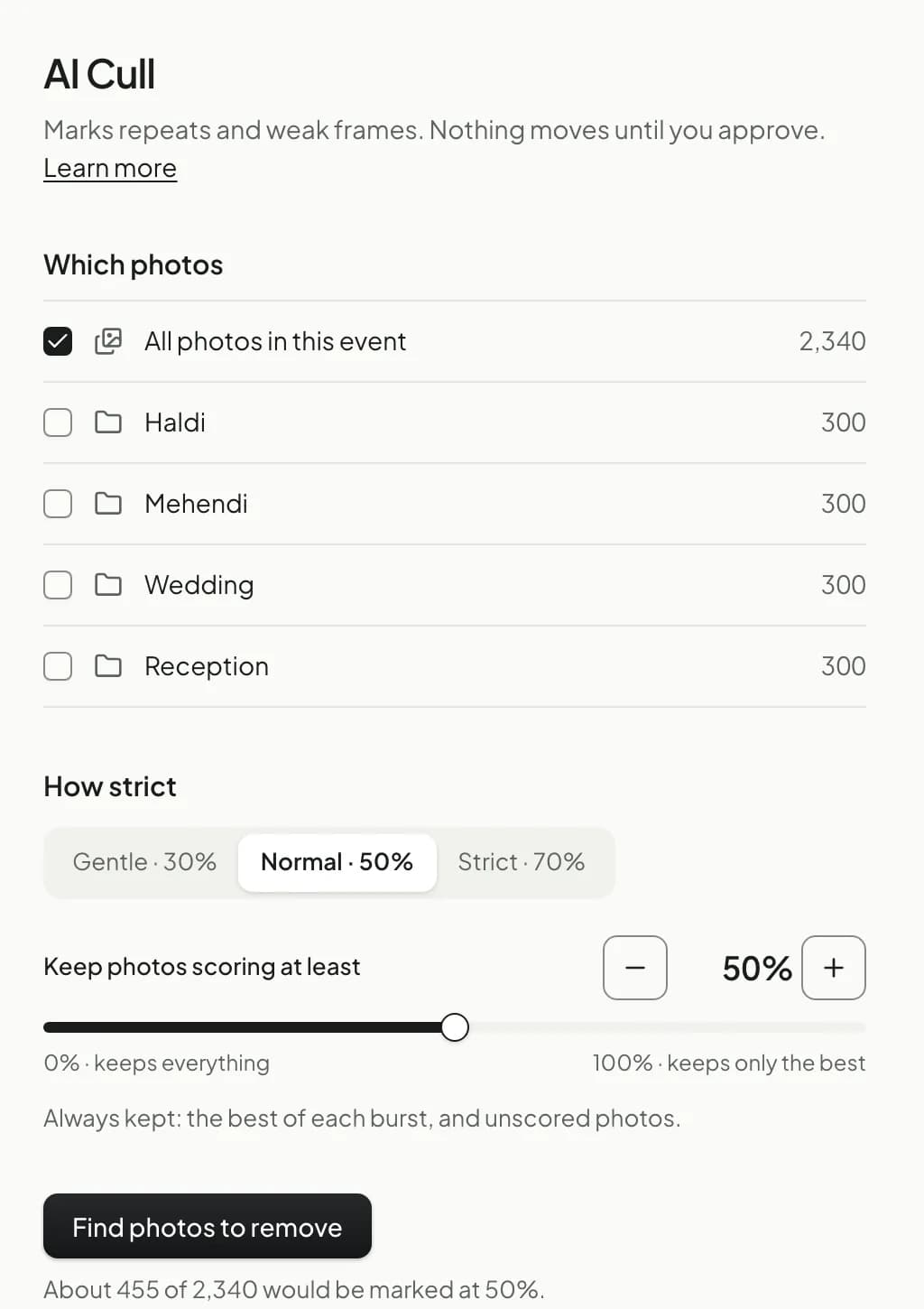
TipThe best photo of each burst, and any photo without a score, is always kept.
Nothing is deleted for good. Moved photos stay in Trash for 30 days, under Moved by AI Cull, and restoring puts each one back in its collection. In the app, AI Cull is in the gallery's menu, and it moves photos to Trash too.
Related
Still stuck? Contact us