Let clients pay you directly
Updated
Add your UPI id or bank details so they print on your invoices and clients can pay you straight.
- Step 1: Open Banking. Under UPI and bank details, enter your UPI id, or your Account name, Account number and IFSC, or both.
- Step 2: Tap Save payment details.
- Step 3: On a quote or invoice, under Ways to pay, tick Direct UPI / bank. Your details are printed on the invoice your client gets.
- Step 4: When the money reaches you, open the invoice in Payments and tap Mark paid on that payment. Choose UPI, Bank transfer or Something else, add the reference if you have one, and confirm.
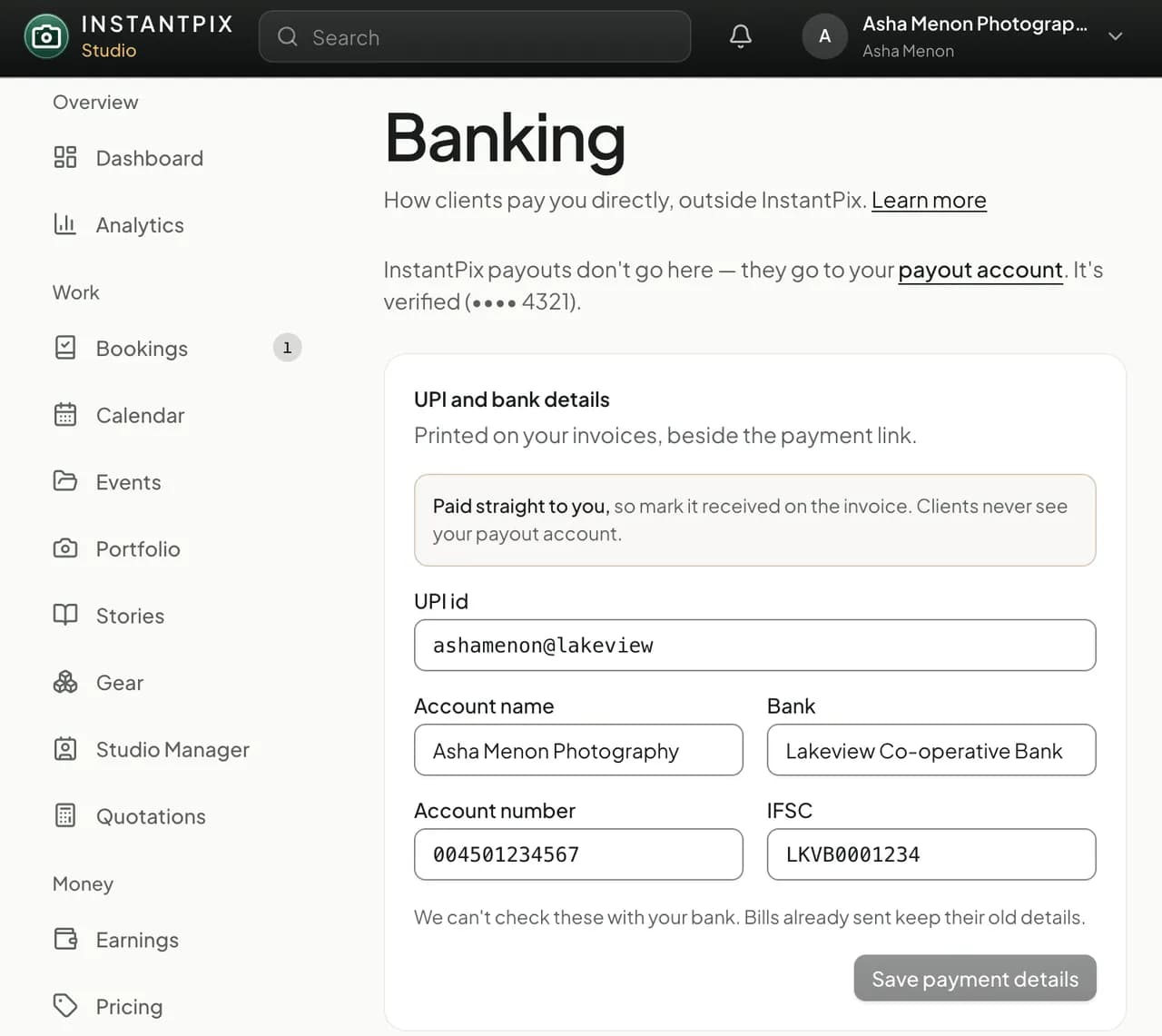
TipBanking is only for money clients send you directly. InstantPix pays you into your payout account, under Earnings.
We can't check these details with your bank. Invoices you've already sent keep the details they went out with. A payment you mark paid shows your client it was received by you, and Undo mark paid takes it back.
Related
Still stuck? Contact us