Your calendar and days off
Updated
Your studio's own calendar: your booked shoots, the days you're away, and Google Calendar if you use it.
- Step 1: Open Calendar. Switch between Month and Week, and tap Today to come back to today.
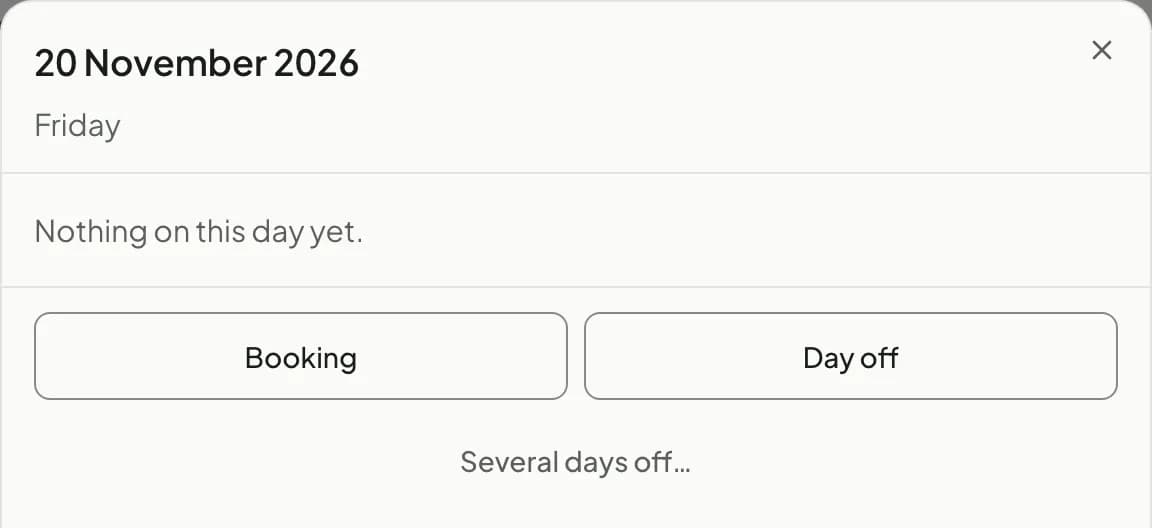
- Step 2: Tap a date. Booking adds a client's shoot on that day, Day off marks you away, and Open booking opens a booking already there.
- Step 3: For a holiday, tap Several days off…, choose From and To, and tap Save day off.
- Step 4: Tap Connect Google Calendar to add your confirmed shoots to a new calendar in your Google account.
TipDays off are private to your studio. Clients can still ask for that day, and you'll see it flagged.
Google Calendar only receives your confirmed shoots, in one new calendar. InstantPix never reads your existing events. Times are India time.
Related
Still stuck? Contact us